Multi-state rules diverge
Wage, leave, scheduling, privacy and hiring requirements can vary significantly across state and local jurisdictions.
Monitor the selected employment, wage-and-hour, workplace safety, employee privacy, leave, background-check, AI hiring and state workforce sources relevant to your organization. Rixena organizes changes and routes them into a consistent review workflow.
Requirements can affect recruiting, pay, scheduling, leave, safety, monitoring, accommodations and separation—often with different rules by state and locality.
Wage, leave, scheduling, privacy and hiring requirements can vary significantly across state and local jurisdictions.
A change may affect HR systems, payroll, recruiting, managers, notices, policies and training at the same time.
Automated hiring, workforce analytics and employee-monitoring tools may introduce new civil-rights, privacy or notice obligations.
Teams need effective dates, required notices, responsible owners and evidence of policy or process updates.
Select the federal, state and local employment sources relevant to your workforce, locations and operating model. Available coverage depends on the selected monitors and sources.
Selected minimum-wage, overtime, hours-worked, classification, scheduling and payroll-related sources.
Selected federal, state and local requirements affecting protected leave, sick time, family leave, disability accommodation and related notices.
OSHA and selected state-plan standards, guidance, reporting materials and workplace-safety requirements.
Selected sources affecting recruiting, screening, consumer reports, fair-chance rules, disclosures and adverse-action processes.
Selected state and sector sources addressing employee data, monitoring, biometrics, notices and workplace technology.
Selected federal, state and local sources addressing automated decision tools, algorithmic fairness and AI use in employment.
Monitor availability and applicability vary by source, jurisdiction and organization. Your team chooses the watchlist it wants Rixena to follow.
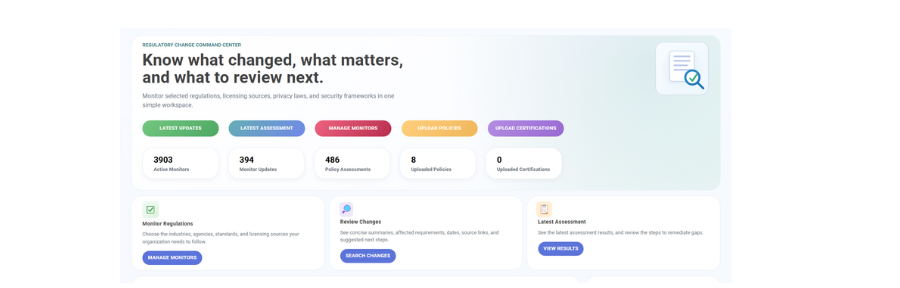
Select your monitors, receive organized change intelligence and optionally connect policies for gap assessment.
Choose the regulatory, compliance, licensing, standards and guidance sources and jurisdictions relevant to your organization.
See what changed, important dates, affected requirements, source links and suggested review areas.
Upload and assign policies or procedures to the selected monitors they support. Policy uploads are optional.
Review potential policy gaps, ownership, next steps, review activity and supporting evidence.
Rixena follows the rule, bulletin, manual, guidance or licensing source your team selects.
The update is captured, summarized and organized so reviewers can focus on what changed.
Your team receives a focused review package instead of another unstructured alert.
Rixena can support employers with different worker populations, locations, pay practices, safety programs and hiring processes—without forcing every jurisdiction into the same watchlist.
Create your free monitoring accountReduce repeated searches across federal, state and local labor, safety and privacy sources.
Give HR, payroll, safety and legal owners the source, dates and affected employment process.
Connect selected changes with handbooks, leave procedures, hiring workflows, notices and training.
Keep assignments, decisions, revisions and supporting evidence organized.
Start with selected source monitoring, then add policy and procedure assessment when useful.
Request a DemoOrganizations can select relevant federal, state and local sources covering wage and hour, leave, workplace safety, employee privacy, hiring, background checks and automated employment tools. Available coverage depends on the selected monitors and sources.
Yes. Watchlists and review workflows can be organized by jurisdiction, location, worker group, business unit or employment process.
Selected federal, state and local sources addressing automated employment tools and related civil-rights, notice or assessment requirements may be monitored. Coverage depends on the selected sources.
Yes. Policy uploads are optional. Teams can assign handbooks, leave procedures, recruiting workflows, privacy notices or safety documents to selected monitors when useful.
No. Rixena provides regulatory intelligence and workflow support. Your organization remains responsible for determining applicability and obtaining legal or professional advice.
Create a free Rixena account and begin building the workforce compliance watchlist your organization needs.